Open-Source (and Free) Single Sign-On Across Multiple CMS Platforms
Boilermakers.org is the primary website of the International Brotherhood of Boilermakers, a union representing skilled craftsmen and industrial workers across heavy industry, shipbuilding, manufacturing, mining, railroads, and related sectors. Members of this union build, maintain, and protect the critical industrial infrastructure that supports everyday life—power, transportation, manufacturing, and energy systems.
The organization supports more than 200 local lodges throughout the United States and Canada, providing members with training, safety programs, advocacy, and career resources. Backdrop CMS is a strategic part of the organization’s hosting infrastructure.
In 2025, Fibonacci Web Studio implemented a fully open-source, cost-free Single Sign-On (SSO) solution for Boilermakers.org. The goal was to enable centralized authentication without relying on proprietary SaaS identity providers, licensing fees, or vendor lock-in.
The solution is based entirely on OpenID Connect (OIDC) and leverages the native strengths of Drupal and Backdrop CMS, both of which originated from Drupal 7. A Drupal 11 site acts as the Identity Provider (IdP), while both Drupal and Backdrop CMS sites authenticate as Service Providers using contributed modules for BackdropCMS and Drupal.
All components of the system are open-source, actively maintained, and suitable for production use in environments where transparency, security, and long-term sustainability are essential.
This architecture is especially well-suited for organizations managing multiple related websites—such as higher education institutions, nonprofits, or research networks—that need centralized authentication without recurring costs. It also demonstrates how modern identity standards can be implemented cleanly using community-driven tools.
Below is a technical overview of the setup, including key configuration steps for the Identity Provider and each Service Provider.
### 1: Drupal 11 IdP (SSO Server)
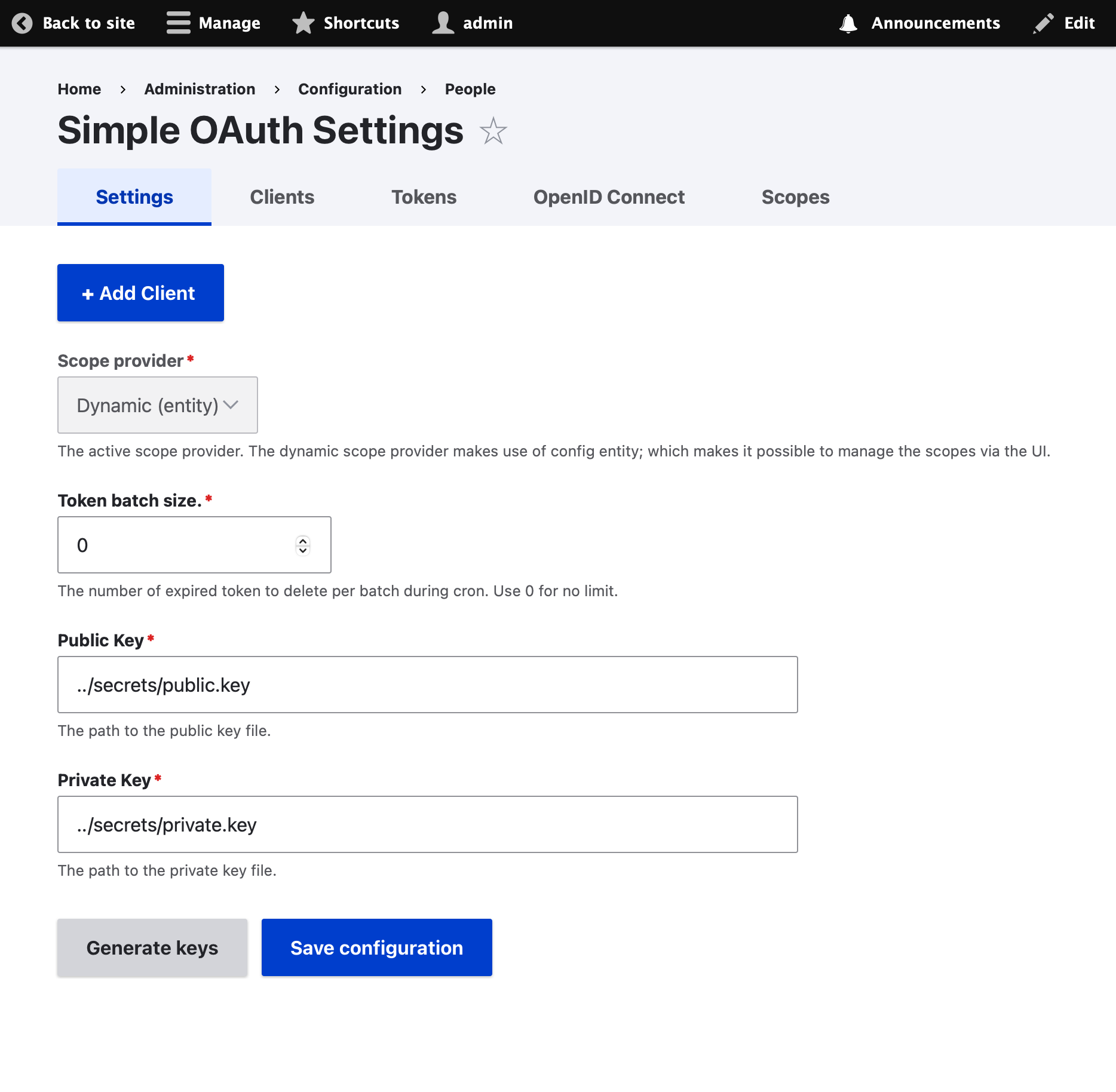
The IdP will need to create and store a private and public key. For this you must give the server write access to a directory on the server, ideally outside of the web root.
For this example certs will be stored in the 'secrets' directory at the level above the 'web' directory. To create this cert:
1. Go to /admin/config/people/simple_oauth
2. Click 'Generate Keys'
3. Enter `../secrets` as in the 'Directory for the keys' text box.
4. Cick 'Generate' then 'Save configuration'

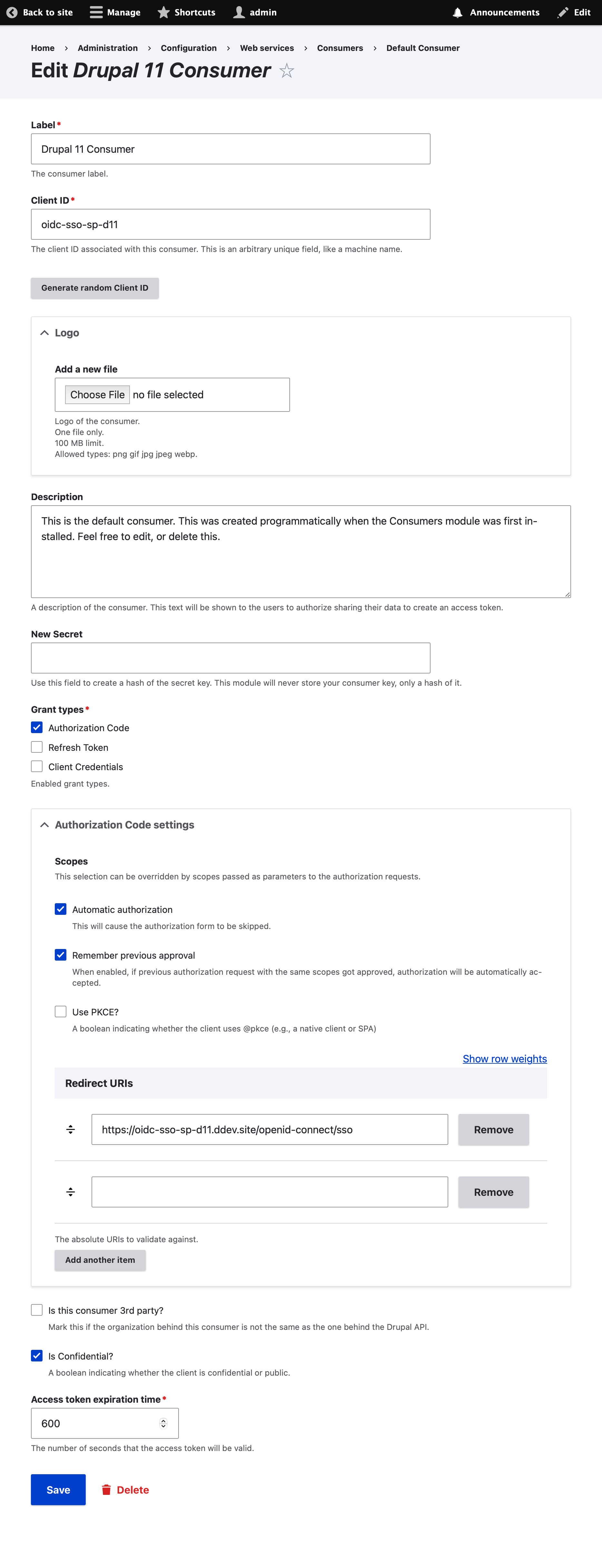
Next, create a 'consumer' for each of the SPs (client sites):
1. Go to /admin/config/services/consumer
2. Click "+ Add Consumer"
3. Give it any label
4. Set the Client ID to `oidc-sso-sp-backdrop`
5. Set the secret to 'supersecret'
6. Check 'Authorization Code'
7. Uncheck 'Is this consumer 3rd party?'
8. Save the consumer
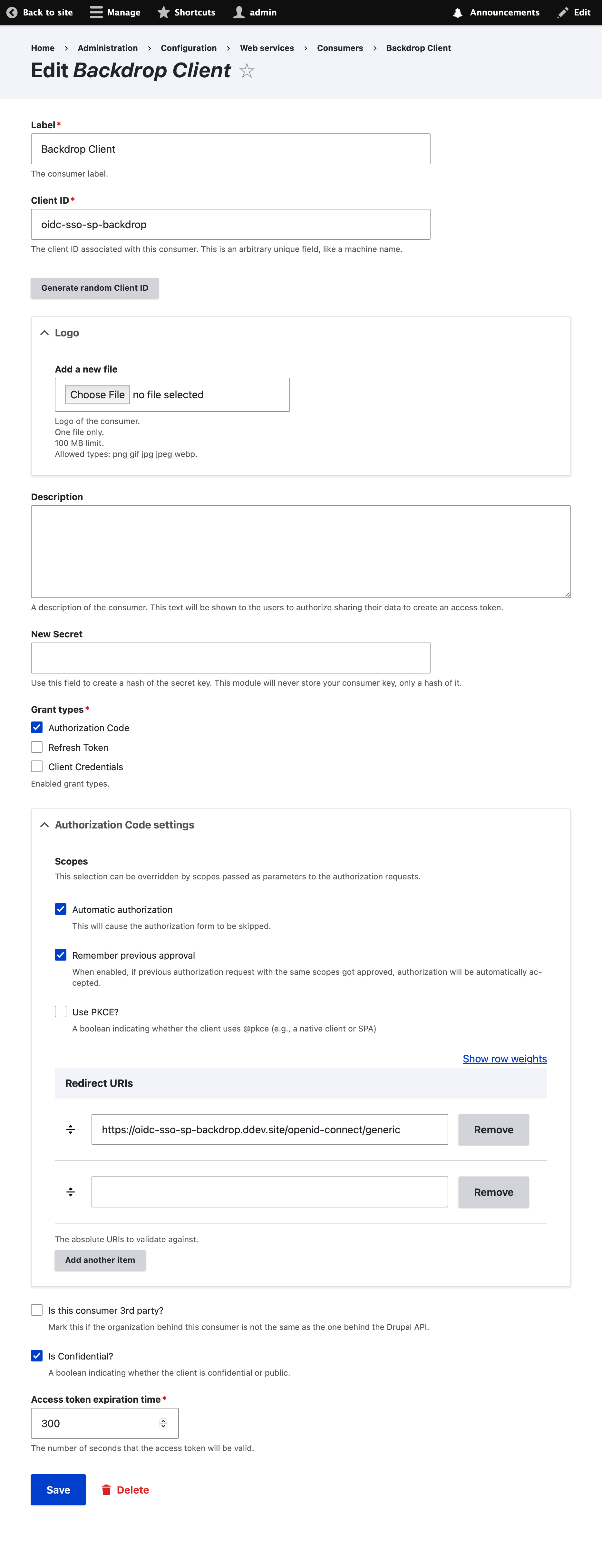
Repeat the above using `oidc-sso-sp-backdrop` as the client id and `/openid-connect/generic` for the redirect URL.
**NB:** For production use, the client secret should be something more secure and should not be shared or stored in a publicly accessible form such as in the git repo.
### 2: Drupal 11 SP (SSO Client)
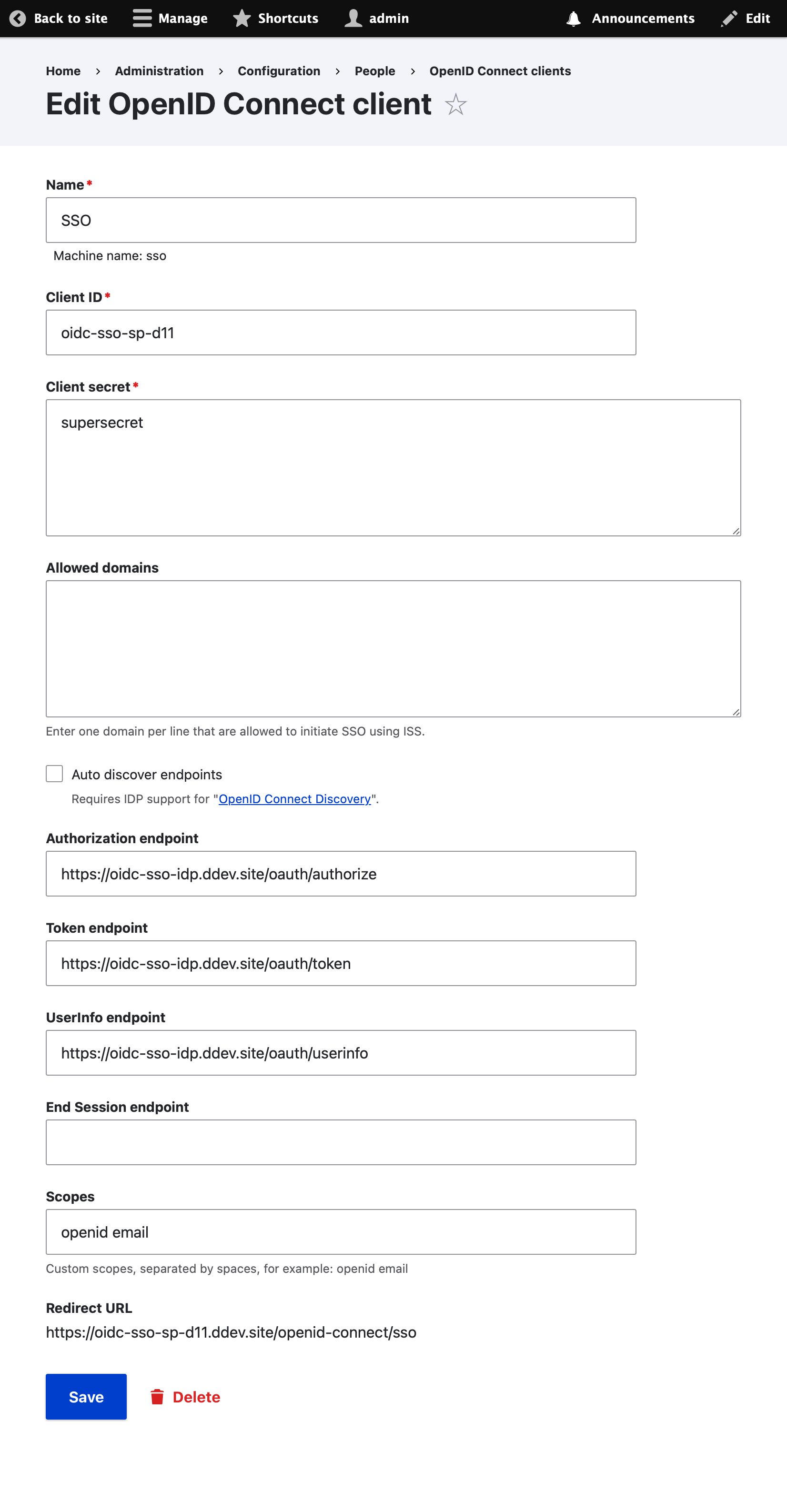
Go to /admin/config/people/openid-connect/sso/edit?destination=/admin/config/people/openid-connect and ensure that the config matches the following image:
### 3: Backdrop SP (SSO Client)
Go to /admin/config/services/openid-connect and ensure that the config matches the following image: